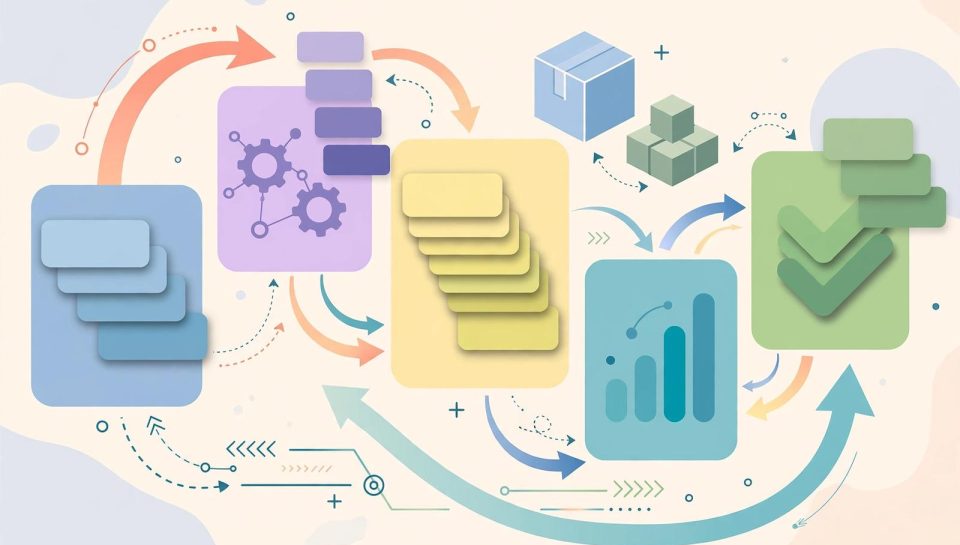
Running a WooCommerce store means doing the same small jobs hundreds of times: writing product descriptions, answering the same support questions, noticing too late that a bestseller ran out of stock. AI automation genuinely helps with some of that work, provided it is set up as drafting and alerting machinery with a human in charge, and not as an unsupervised employee. This guide walks through five workflows that suit a small store, with the guardrails that keep each one safe, in the order to adopt them.
Where automation genuinely helps a small store
The pattern to look for is work that is repetitive, rule-shaped, and easy to check: turning structured product data into a first draft, sorting routine questions, watching numbers and raising a hand when one crosses a line. The pattern to avoid is work that carries judgement or money: refunds, complaints, pricing decisions, and anything a customer would reasonably expect a person to have decided.
A practical test before automating anything: if the AI gets it wrong, will a human see the error before the customer does? If the answer is no, the workflow needs a review step, or it does not ship. That single test shapes every workflow below, and it mirrors how larger organisations are learning to govern agents, as our coverage of Microsoft’s AI agent security controls shows at enterprise scale.
Workflow one: draft product descriptions from structured data
The job: turning attributes you already hold, material, dimensions, use cases, care instructions, into a readable first draft of a product description.
How it runs: export or connect your product data, give the AI your house style notes and three examples of descriptions you are proud of, and generate drafts in batches per category. A human edits each draft for accuracy, adds the detail only a person knows, and publishes. The AI never publishes directly, and it never invents specifications: if a field is empty in your data, the draft must leave the claim out rather than filling the gap with something plausible.
Costs to check: the AI service or extension subscription, plus the editing time, which is real but shorter than writing from a blank page. Verify any named extension’s current features and price on its WooCommerce Marketplace or WordPress.org listing before adopting it.
Workflow two: support reply drafts with human approval
The job: the daily queue of where-is-my-order, returns, and sizing questions.
How it runs: the AI reads the customer message and your policy documents and prepares a reply draft inside your inbox or helpdesk. A person reads it, corrects it, and sends it under their own name. Order-specific facts come from the order record, never from the model’s memory. Complaints, damage reports, and anything emotional are flagged for a fully human reply, with no draft at all. This is the same training-material discipline that makes store chatbots safe, applied to email.
Workflow three: order exception and stock alerts
The job: noticing the stuck order, the failed payment pattern, and the stock level quietly crossing into danger.
How it runs: this workflow is mostly rules, with AI in a supporting role. WooCommerce and its extensions can flag orders that sit in processing beyond your normal window, failed or held payments, and products below a stock threshold you set. The AI layer summarises the exceptions into one daily digest, grouped and written in plain language, instead of a dozen separate system emails nobody opens. Thresholds are yours to set conservatively; an alert that cries wolf gets muted, and a muted alert is worse than none.
Workflow four: review summaries and FAQ updates
The job: learning from what customers tell you, without reading four hundred reviews one by one.
How it runs: periodically, feed recent product reviews and support questions to the AI and ask for themes: the sizing complaint that keeps recurring, the feature customers praise, the question your product page fails to answer. A human verifies the themes against a sample of the raw reviews, because summaries can over-weight the loudest voice, then updates product pages and the FAQ with the findings. Nothing the AI summarises is ever published as a customer quote; quotes are copied from real reviews or not used.
Workflow five: abandoned cart message drafts
The job: the follow-up message to a customer who left items in a cart.
How it runs: your cart recovery tool sends the message on its schedule; the AI’s job is upstream, drafting message variants in your tone for different cart types: the first-time visitor, the returning customer, the high-value basket. A human approves every variant before it enters the sequence, checks that any incentive offered is one the store actually honours, and confirms the messages comply with the consent and unsubscribe rules that apply in the customer’s region. The AI does not decide discounts, and it does not write urgency claims, such as low-stock warnings, that are not true for that basket.
Guardrails: accuracy checks, data privacy and when to keep a human in charge
- Accuracy: every customer-facing output passes a human before it ships, until a workflow has months of clean history, and even then spot checks stay. Product facts come from your data; policies come from your documents; everything else is a draft.
- Data privacy: customer names, addresses, and order details flow through whichever AI service you connect. Before adopting a tool, read its data handling terms on its official site, prefer tools that state they do not train on your data, and send the minimum data each workflow needs. Order numbers and product data rarely need a customer’s life story attached.
- Human in charge: refunds, replacements, complaints, pricing, and any promise about dates stay human decisions. Automation drafts and alerts; people decide and answer. The same boundary discipline governs the enterprise workflow integrations in our OpenAI and ServiceNow workflows guide.
- Access: connect tools with the least permissions they need, review connected apps and extensions quarterly, and remove anything the store no longer uses.
A starter sequence for the first month
- Week one: set up stock and order exception alerts. They are read-only, immediately useful, and teach you the tools with no customer-facing risk.
- Week two: start support reply drafts for your three most common question types, with full human review.
- Week three: draft descriptions for one product category, measure editing time against your old process, and fix your product data where the drafts exposed gaps.
- Week four: run the first review and FAQ summary, update two product pages from what you learn, and write or approve your abandoned cart message variants.
- End of month: review every workflow against the error test: did anything wrong reach a customer? Tighten the workflow that failed, expand the one that did not.
Stores that get value from AI automation share one trait: they automated the chores and kept the judgement. Start with alerts and drafts, keep a person on every promise, and let a month of clean operation, not a feature list, tell you what to automate next. For a broader sense of what today’s AI tools do well across everyday work, our roundup of the best free AI tools is a useful map of the landscape your store’s tools are drawn from.
Sources and Further Reading
- WooCommerce official documentation: woocommerce.com
- WooCommerce Marketplace, official extension listings (features and prices to be verified on the listing at selection time): woocommerce.com
- WordPress.org plugin directory: wordpress.org