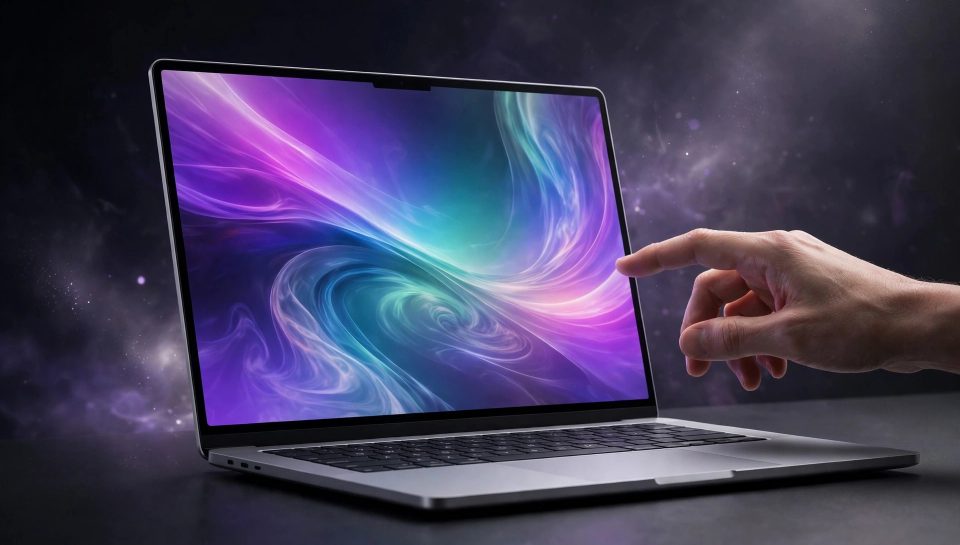
For decades, Apple said no. Touch belonged on the iPhone and iPad, not the Mac. The keyboard and trackpad were the right tools, Apple argued, and reaching up to poke a vertical screen was ergonomically wrong. On October 28, 2026, at its “Pro and Tell” event in Los Angeles, Apple reversed that position in the most public way possible: it unveiled the MacBook Pro with PROLED XDR Display, the first MacBook Pro with a touchscreen.
Pre-orders opened the same day, with availability from November 6, 2026. Prices start at $2,899 for the 14-inch model and $3,399 for the 16-inch model in the United States, both with the M5 Pro chip. M5 Max configurations start at $4,499 and $4,799 respectively. This is not a cheap experiment. It is Apple’s most expensive mainstream laptop line, now with a display you can tap, swipe, pinch, and draw on — and a $400 premium over the equivalent non-touch model at every tier.
That combination is what makes this launch worth a careful read. The touchscreen is real, the OLED panel is a real upgrade, and the premium is fixed and knowable. Whether it is worth paying depends almost entirely on how you work, not on how impressive the screen looks in a demo video.
What Apple actually announced
Apple introduced one new MacBook Pro family, in two sizes: 14-inch and 16-inch. Both use a new tandem OLED display branded PROLED XDR, both add touch input, both replace the notch with a Dynamic Island, and both run on M5 Pro or M5 Max chips. Apple frames touch as an additional way to interact with content, not a replacement for the keyboard and trackpad.
The headline specifications, as reported from Apple’s announcement, are:
- Display: 14.2-inch or 16.3-inch tandem OLED PROLED XDR panel, with the touch sensor built directly into the panel to avoid added latency
- Brightness and contrast: up to 2,000 nits peak HDR and SDR brightness, and a 10,000,000:1 contrast ratio
- Refresh and colour: ProMotion adaptive refresh from 10Hz to 120Hz, P3 and Adobe RGB coverage, optional nano-texture finish
- Chips and memory: M5 Pro or M5 Max, up to 128GB of unified memory and up to 16TB of storage
- Weight: 3 pounds for the 14-inch M5 Pro model and 4 pounds for the 16-inch M5 Pro model, both lighter than their mini-LED predecessors
- Battery: up to 24 hours on Apple’s headline rating, varying by size and chip
- Camera, audio, ports: 12-megapixel Center Stage camera, six-speaker system with 50 percent deeper bass according to Apple, three Thunderbolt 5 ports, HDMI, SDXC, MagSafe, and headphone jack
- Software: macOS 27 with Apple Intelligence and Siri AI
Why touch took so long — and why now
Steve Jobs famously dismissed touchscreen laptops as ergonomically terrible in 2010, and Apple held that line for sixteen years while Windows laptops and 2-in-1 devices made touch standard. The reversal is therefore not just a feature addition; it is Apple conceding that its customers’ workflows changed.
Three shifts explain the timing. Creative work moved on-screen: editing photos, scrubbing video timelines, manipulating 3D models, and playing software instruments are all tasks where direct manipulation is faster than a cursor. The iPad trained a generation of users to expect touch as a secondary input. And display technology finally gave Apple a panel worth building touch into — tandem OLED, which stacks two light-emitting layers to reach higher brightness without the bulk of a backlit mini-LED panel.
The PROLED XDR display, explained in plain language
The display is arguably the bigger upgrade than touch itself, and it is the part of the premium that every buyer benefits from, whether or not they ever tap the screen.
The outgoing MacBook Pro used a mini-LED Liquid Retina XDR display. A backlight sits behind the pixels, divided into zones that dim and brighten. It is excellent, but a backlight zone is larger than a single pixel, so a bright object on black can show a faint halo.
OLED works differently: each pixel produces its own light, so a black pixel simply switches off. That is where the 10,000,000:1 contrast ratio comes from, up from 1,000,000:1 on the mini-LED model — true black next to bright highlights, with no glow bleeding into dark areas. Tandem OLED stacks two light-emitting layers, helping the panel reach up to 2,000 nits peak brightness, compared with 1,600 nits peak HDR on the previous 16-inch model.
In practice, that means deeper blacks in video and photo editing, more accurate colour work, better readability outdoors, and a thinner, lighter machine because there is no backlight sheet. The 14-inch model drops from about 1.59kg to 1.36kg, and the 16-inch from about 2.15kg to 1.81kg, according to hands-on reporting from the launch event. That is a quarter to a third of a kilogram off your shoulder every day — a difference you will notice on a commute long before you notice a contrast ratio on a spec sheet.
Touch in practice: who actually benefits?
Apple says its own apps and several third-party apps are already MacBook Touch compatible at launch, including Canva, Zoom, Microsoft Word, PowerPoint, Adobe Lightroom, DaVinci Resolve, and Blender. Launch examples include scrolling a webpage with a swipe, pinching to zoom in on a photo, dragging slides between presentations, double-tapping a window to fill the screen, manipulating a 3D model directly, and playing a musical instrument on screen.
Clear beneficiaries: visual and creative professionals. If you edit photos in Lightroom, grade video in DaVinci Resolve, build scenes in Blender, or present in PowerPoint and Canva all day, direct manipulation removes a layer of indirection — and these users also gain most from the OLED colour accuracy.
Occasional beneficiaries: presenters, reviewers, and collaborators. Walking clients through a deck, annotating a document in a meeting, or handing your laptop to a colleague to point at something are all genuinely easier with touch, even if you only do them a few times a week.
Minimal beneficiaries: writers, coders, and spreadsheet-heavy workers. If your hands live on the keyboard, reaching up to tap a vertical screen is slower than a trackpad gesture, and your arm will tire faster than your patience. For this group, the OLED display and lighter body are the real upgrades, and touch is a bonus.
How it compares: the lineup in one table
Apple’s lineup is now more confusing than it was a week ago, because three different MacBook Pros sit close together in price. Here is the comparison that matters, using Apple’s announced starting prices in the United States:
| Model | Chip | Display | Touch | Starting price (US) |
|---|---|---|---|---|
| 14-inch MacBook Pro (entry) | M6 | Mini-LED | No | $1,999 |
| 14-inch MacBook Pro | M5 Pro | Mini-LED | No | $2,499 |
| 14-inch MacBook Pro with PROLED XDR | M5 Pro | Tandem OLED | Yes | $2,899 |
| 16-inch MacBook Pro | M5 Pro | Mini-LED | No | $2,999 |
| 16-inch MacBook Pro with PROLED XDR | M5 Pro | Tandem OLED | Yes | $3,399 |
| PROLED XDR, M5 Max (14 / 16-inch) | M5 Max | Tandem OLED | Yes | $4,499 / $4,799 |
The pattern is consistent: the touchscreen OLED model costs $400 more than the equivalent non-touch M5 Pro model. Education pricing trims the M5 Pro entry points to $2,749 (14-inch) and $3,199 (16-inch). In India, reported starting prices are Rs 3,49,900 for the 14-inch M5 Pro model and Rs 4,09,900 for the 16-inch version.
What early hands-on reports say — and what they cannot say yet
These are hands-on impressions from the launch event, not full reviews. No reviewer has yet lived with the machine for a week, tested battery life under a real workload, or measured sustained performance under a long render. Treat the following as first impressions.
The display drew the most praise. One hands-on reporter called the laptop “jaw-dropping” and said the 2,000-nit panel was so bright his team had to turn down their camera to record it. Another, who had previously called the tandem OLED iPad Pro the nicest display he had seen on an Apple device, said that title now goes to the MacBook Pro. Others were more measured: one outlet described the OLED as “punchy, bright, contrasty, and saturated” but noted the previous display was no slouch either, and the improvement is hard to judge without side-by-side testing. A further report said photos looked great but the difference was “not a night-and-day difference from past Apple laptops,” adding that many improvements target creators who need accurate colour.
What remains unproven until November 6 and beyond: real-world battery life, sustained performance in the thinner chassis during long renders, how many third-party apps gain meaningful touch support beyond automatic click translation, and whether fingerprints on a laptop screen become an everyday annoyance. Apple offers a nano-texture option and an antireflective coating, but neither eliminates cleaning.
What this means for your business
- Do not buy on launch day for touch alone. Wait for full reviews after November 6, especially battery and sustained-performance tests, unless a specific creative workflow you use is already confirmed to work well with touch.
- Price the whole setup. The $400 premium is per machine. Across a team of five, that is $2,000 — spend it where touch and OLED change output, and buy the non-touch model where they do not.
- Check your software first. If your core tools are among the launch-compatible apps, touch is useful from day one. If you depend on a niche professional tool, confirm its touch behaviour before ordering.
- Think about the display as an investment. OLED colour accuracy and outdoor readability benefit every user, every day, even if touch does not.
- Do not confuse this with the M6 model. If your priority is the newest chip at the lowest price, the $1,999 M6 MacBook Pro is a different machine with a different display and no touch.
Should you buy it?
Buy the touchscreen PROLED XDR MacBook Pro if: you do visual, video, 3D, or presentation work daily; you value the best laptop display Apple has made; you carry your laptop constantly and will feel the weight saving; and the $400 premium fits without forcing a compromise on memory or storage you actually need.
Buy the non-touch MacBook Pro instead if: your work is keyboard-first, your current display already satisfies you, or the $400 buys a memory or storage upgrade that changes what your machine can do.
Wait if: you are unsure about touch, you depend on untested professional software, or you want independent battery and thermal tests. November 6 is days away, and a week of real reviews is worth more than a day of launch excitement.
For agencies, freelancers, and small businesses, the honest summary is this: the touchscreen is a welcome, long-overdue addition, the OLED display is the surest upgrade, and the price demands a workflow-based decision, not an impulse one. If you are weighing a machine upgrade alongside a website or content investment, remember the machine is a means, not the work itself — our WebReOn Tools collection and WebReOn Chat are built for browser-based work that runs on any modern laptop.
Frequently asked questions
When was the first touchscreen MacBook Pro announced?
Apple announced the MacBook Pro with PROLED XDR Display on October 28, 2026, at its “Pro and Tell” event. Pre-orders opened the same day, with availability from November 6, 2026.
How much does the touchscreen MacBook Pro cost?
In the United States, the 14-inch model with M5 Pro starts at $2,899 and the 16-inch model with M5 Pro starts at $3,399. M5 Max configurations start at $4,499 and $4,799 respectively. Education pricing starts at $2,749 and $3,199 for the two M5 Pro sizes.
Is this the same as the $1,999 M6 MacBook Pro?
No. The $1,999 model is a separate entry-level 14-inch MacBook Pro with the M6 chip, announced on October 27, with a mini-LED display and no touch. The touchscreen model uses M5 Pro or M5 Max, a tandem OLED display, and starts at $2,899.
Does it fold into a tablet or support Apple Pencil?
No. The display does not fold back, and Apple has not announced Apple Pencil support for this machine. Touch is an additional input alongside the keyboard and trackpad.
Which apps work with touch at launch?
Apple lists its own apps plus Canva, Zoom, Microsoft Word, PowerPoint, Adobe Lightroom, DaVinci Resolve, and Blender. macOS also translates touch into clicks automatically, so many existing apps respond to touch without specific updates, though the quality will vary by app.
Conclusion
Apple waited sixteen years to put touch on a Mac, and then did it on its most expensive laptop, with its best display, at a $400 premium. That restraint is, in a way, the point: this is not touch as a gimmick, but touch as a professional tool for people whose work benefits from grabbing what is on screen.
Sources: Apple’s announcement as syndicated by BusinessWire; MacRumors; USA Today; Digital Trends; AppleInsider; The Apple Post; Gadgets Now hands-on coverage. Prices and specifications are as announced on October 28, 2026, and may vary by region and configuration; battery figures are Apple’s ratings, subject to independent testing. External references: Apple announcement via BusinessWire, MacRumors announcement coverage, USA Today prices and specs, Digital Trends specs and pricing, AppleInsider comparison, The Apple Post launch report, Gadgets Now hands-on.